It is the last day of the month. Your rent is due tomorrow. You are standing at the supermarket checkout, hoping your salary has arrived. You need to know your FAB balance right now, not after navigating five menus or waiting in an ATM queue. This guide exists for exactly that moment.
First Abu Dhabi Bank, the UAE’s largest bank by total assets, serves millions of residents through salary accounts, Ratibi prepaid cards, current accounts, and prepaid cards. Every one of these products has a balance check method and the right one for you depends on what type of card or account you hold. A Ratibi salary card uses a completely different system from a regular current account. A prepaid card has its own dedicated portal. Knowing which method to use for your specific situation is the difference between a 30-second balance check and 20 minutes of frustration.
This guide covers every official FAB balance check online method available in 2026, including step-by-step instructions, a quick decision table so you can find your method in seconds, honest scam warnings for payday season, and what to do when your salary has not arrived. All information is verified against official FAB sources as of August 2026.
Find Your Method in Seconds
Before the full guide, here is the fastest way to find exactly what you need. Look at your situation in the left column and go directly to that section.
| Your Situation | Best Method | How |
| Smartphone with internet | FAB Mobile App | Download from Play Store or App Store. Login. Check dashboard instantly. |
| Ratibi or prepaid card, no app | Magnati Portal | Go to ppc.magnati.com. Enter card last 4 digits and 13-digit Card ID. Done. |
| No internet, any phone | SMS to 2121 | Send BAL and last 4 digits to 2121 from your registered number. |
| No phone at all | FAB ATM | Insert card. Enter PIN. Select Balance Inquiry. Takes 30 seconds. |
| Want to speak to someone | Phone Banking | Call 600 52 5500 (UAE) or +971 2 681 1511 (international). 24 hours. |
| Ratibi card, want digital wallet | Payit App | Download Payit by FAB. Register. Link Ratibi card. Check balance. |
| Near an exchange house | Lulu or Al Ansari Exchange | Present your card and Emirates ID at the counter. |
What Is First Abu Dhabi Bank?
FAB, First Abu Dhabi Bank, was formed in 2017 through the merger of the National Bank of Abu Dhabi (NBAD) and First Gulf Bank (FGB). This merger created the UAE’s largest bank and one of the biggest in the Middle East. Many long-term UAE residents still search for NBAD balance check out of habit. The answer is simple: NBAD is now FAB. All NBAD accounts, cards, and services continue under the FAB brand with the same methods and contact numbers.

FAB operates across all seven emirates with branches, ATMs, and digital platforms. It is the bank most commonly associated with WPS salary payments through its Ratibi prepaid card system, which serves hundreds of thousands of workers in construction, retail, and service sectors. Whether you have had your account since the NBAD days or opened it last week, the methods in this guide work for you.
Method 1: FAB Mobile App
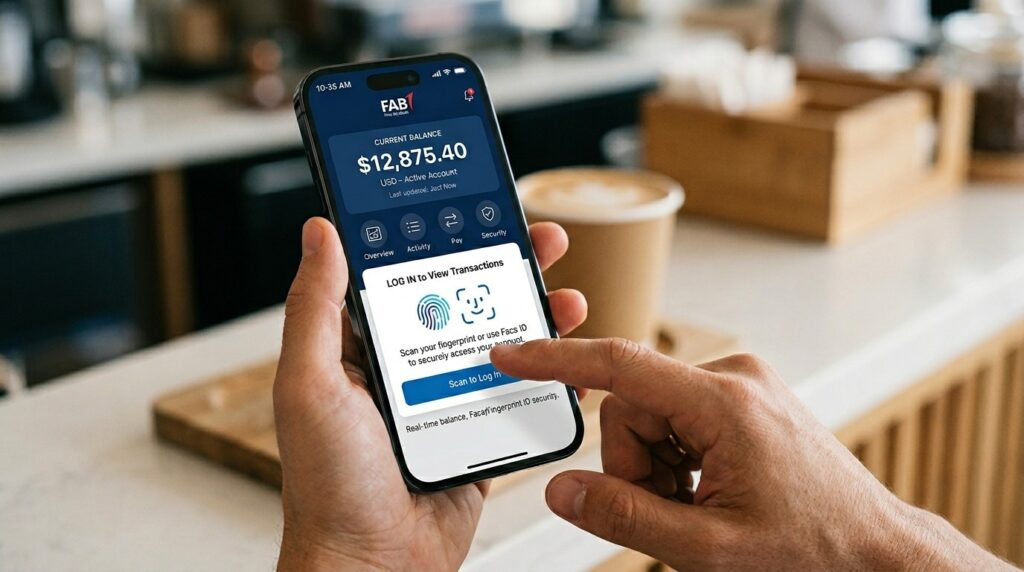
The FAB Mobile Banking app is the fastest and most complete way to do a FAB balance check online for regular bank account holders. It shows your real-time balance the moment you open it, lets you see full transaction history, pay bills, and transfer money, all secured with face or fingerprint login. For anyone with a smartphone and an internet connection, this should be your default daily method.
How to Set Up the App
Download the app from Google Play Store or Apple App Store. Search for FAB Mobile Banking and confirm the publisher is First Abu Dhabi Bank PJSC before installing to avoid fake versions. After installing, tap Register, enter your UAE mobile number, and verify with the OTP sent to your phone. Then enter your debit card number or Customer ID, scan your Emirates ID when asked, complete a face verification step, and create your password and 4-digit PIN. Once done, your balance appears on the home dashboard every time you open the app without any additional steps.

Checking Balance After Login
Your primary account balance is displayed immediately on the home screen after login. For multiple accounts or salary accounts, scroll the account cards at the top to switch between them. The balance shown is real-time and reflects your available balance as well as your total balance including pending transactions. Tap any account to see full transaction history, download statements, or set salary credit notifications. The app runs 24 hours every day including weekends and public holidays and works from any country in the world with an internet connection.
Enabling Biometric Login
After your first login, go to Settings and enable Face ID or fingerprint authentication. This makes all future logins a two-second tap rather than a password entry. The biometric data stays on your device and is not sent to FAB’s servers. If biometric fails for any reason such as low light or a mask, the PIN option is always available as a backup. Most regular users set this up on day one and never type their password again.
Gheyath Tower Dubai: Complete Guide to Location, Apartments, Amenities & Investment Potential
Method 2: Magnati Portal for Ratibi and Prepaid Cards
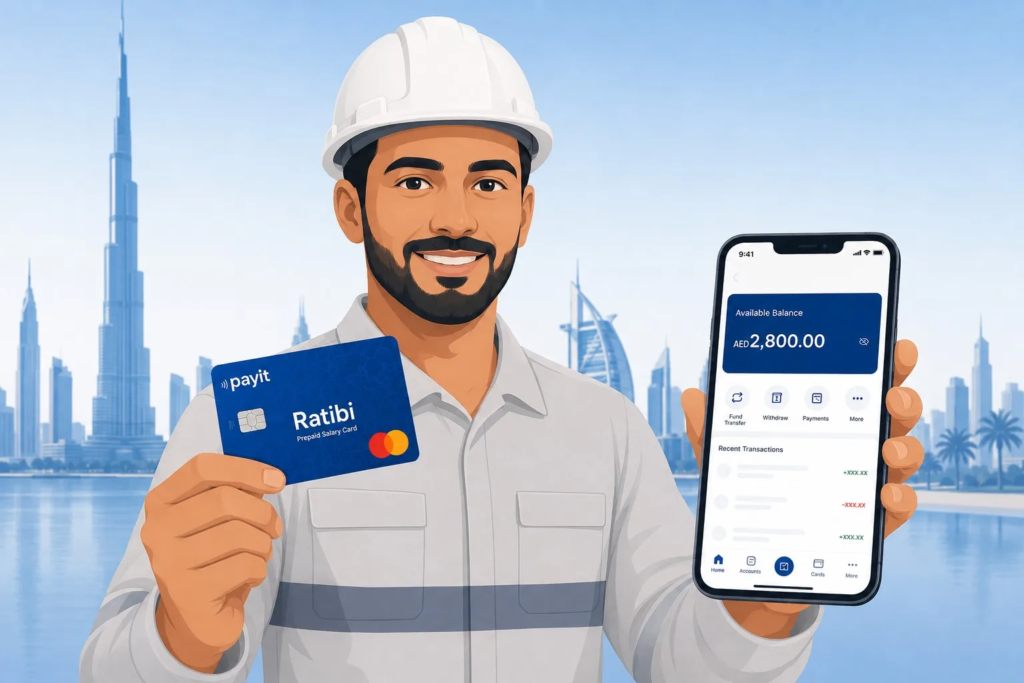
The PPC Magnati Portal at ppc.magnati.com is the correct FAB balance check method for Ratibi salary card holders and FAB prepaid card users. This portal is completely separate from the main FAB banking website. It requires no account, no password, and no registration of any kind. You enter two numbers from your card and your balance appears in seconds. For the large number of UAE workers who hold a Ratibi card but have not set up the FAB Mobile App, this portal is the fastest and most accessible option available.
How to Use the Magnati Portal
Open any browser on a smartphone or computer and go to ppc.magnati.com. On the enquiry page you will find two fields. The first asks for the last 4 digits of your card number printed on the front. The second asks for the 13-digit Card ID, a longer number also printed on your card. Enter both, complete the security check on screen, and click Go. Your available balance, recent transactions, and card status appear within seconds. The portal times out after 60 seconds of inactivity so have your card ready before you open the page.
What the Portal Shows and What It Does Not
The Magnati Portal shows your current available balance, your ledger balance if different, a summary of your most recent transactions with dates and amounts, and whether your card is active, expired, or blocked. It does not allow transfers, payments, or any other account action. It is a read-only enquiry tool. If your card does not work on this portal, check whether it is actually a standard debit card linked to a full bank account rather than a prepaid or Ratibi card. If it is a debit card, use the FAB Mobile App or online banking instead.
Method 3: FAB Online Banking via Website
FAB online banking through bankfab.com is the desktop version of the mobile app. It offers the same account management features on a larger screen and is particularly useful for downloading statements, viewing longer transaction histories, and managing standing payment instructions. For a simple quick balance check, the mobile app is faster. But for anyone working at a computer who needs full account management without switching to a phone, the web portal is equally capable and fully secure.
How to Log In
Go to bankfab.com and click Login at the top right. Select Personal Online Banking. Enter your User ID and password, then complete the OTP verification sent to your registered phone number. The home dashboard shows all linked accounts with current balances. A Quick Balance shortcut displayed as an eye icon next to each account name shows the balance immediately without clicking deeper. For first-time registration, you need your debit or credit card details and registered mobile number to set up your User ID and password, which is a one-time process.
Method 4: ATM Balance Inquiry
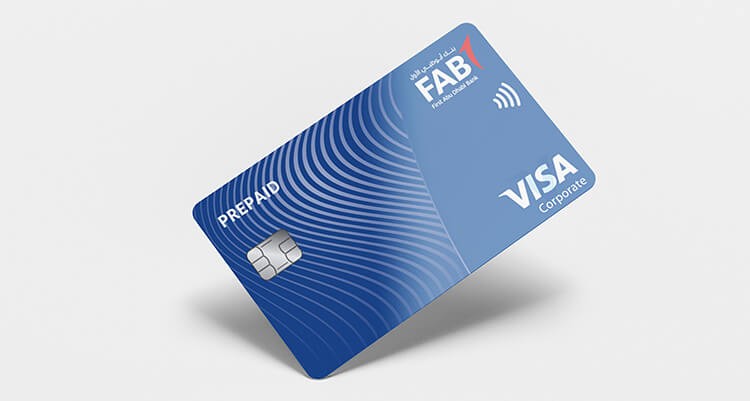
The ATM is the most reliable offline method because it requires nothing beyond your card and your PIN. No app, no internet, no registration. Available at FAB branches, malls, metro stations, petrol stations, and supermarkets across all seven emirates. As long as you have your card and remember your four-digit PIN, this method works at any time of day or night anywhere in the UAE.
Step by Step at the ATM
Insert your card with the chip facing up. Enter your 4-digit PIN. From the main menu select Balance Inquiry. The screen displays your available balance and total balance. Some machines also offer a mini-statement showing the last five to ten transactions which may print on paper or display on screen. Always cancel the transaction and wait for the ATM to return your card and reset to its welcome screen before leaving. Cover the keypad with your free hand when entering your PIN regardless of whether anyone appears to be nearby. Use the FAB branch locator at bankfab.com to find the nearest FAB ATM, which is always free for balance checks. Other bank ATMs may charge a small fee.
Method 5: SMS Banking to 2121
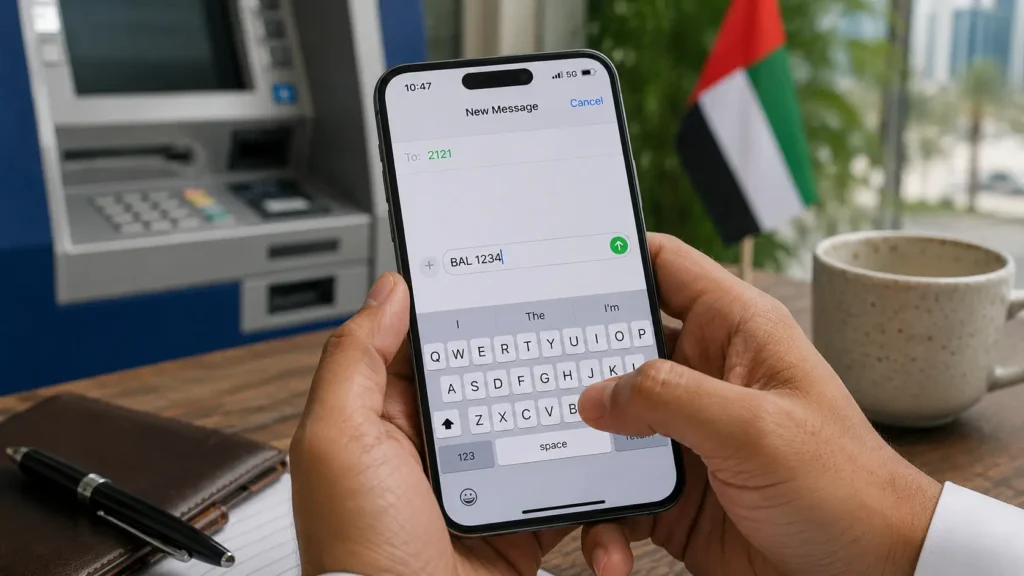
SMS banking is the most accessible method for anyone without a smartphone or reliable data connection. If you have any mobile phone and your number is registered with FAB, you can check your FAB balance by sending a text message. The reply arrives within 10 to 30 seconds on Etisalat and up to 2 minutes on du during busy periods. FAB charges nothing for this service. Your telecom provider charges the standard SMS rate for the outgoing message.
Registration and How to Send the SMS
SMS banking requires one-time registration before it works. To register, visit any FAB ATM, look for the SMS Banking option in the ATM menu, and complete registration with your mobile number. Alternatively call 600 52 5500 to register by phone. After registration, send BAL followed by the last 4 digits of your card or account number as a single message to 2121. Example: BAL 4567 if your card ends in 4567. For credit card balance, send CBAL followed by last 4 digits to 2121. The SMS reply shows your available balance, ledger balance, and a masked account number for confirmation.
Why SMS Does Not Work for Some Users
The single most common reason SMS banking fails is that registration was never completed. Many people send the message without registering and assume the system is not working. If you receive an error reply or no response, visit a FAB ATM to complete registration before trying again. The second most common issue is sending from a mobile number different from the one registered with your FAB account. If you have changed your phone number since opening your account and not updated it with the bank, SMS banking will not function until the number is updated through the app, online banking, or a branch visit.
Method 6: Phone Banking
FAB phone banking provides both automated balance information through a voice system and access to live agents for complex queries. It runs 24 hours every day including public holidays and is the right choice for users who are not comfortable with apps, for elderly customers, or for any situation where digital methods have failed and you need immediate human help.
Contact Numbers and Process
Call 600 52 5500 from within the UAE. From outside the country call +971 2 681 1511. After connecting, press 1 for English or 2 for Arabic. Select Account Services then Balance Inquiry. The system asks you to verify your identity using your card number or Customer ID, Emirates ID number, date of birth, or 4-digit ATM PIN. Once verified, the system reads your available balance and can provide a summary of recent transactions. Press 0 at any point during the automated menu to reach a human agent. Wait times are typically 4 to 5 minutes during peak daytime hours and under 1 minute after 10 PM.
Method 7: Payit Digital Wallet
Payit is FAB’s official digital wallet app, designed to extend what a Ratibi salary card can do beyond a simple balance check. Ratibi card holders who download Payit can check their salary balance, send money to family abroad, pay utility bills, and make cardless ATM withdrawals using a generated code. For WPS workers who rely entirely on their Ratibi card, Payit bridges the gap between a prepaid card and a full digital banking experience without requiring a full bank account.
Setting Up Payit for Ratibi Users
Download the Payit by FAB app from Google Play or App Store. Register using your UAE mobile number and Emirates ID. On the registration screen select the Ratibi Card Holders option. Enter your Ratibi card number and verify via OTP. Once your card is linked, the wallet balance section shows your current balance. Note that Payit may show a 5 to 10 minute delay compared to the Magnati Portal for the most current figures. For immediate salary credit confirmation on payday, the Magnati Portal is slightly faster. For ongoing daily spending management and transfers, Payit is significantly more capable.
Method 8: Exchange Houses
Exchange houses including Lulu Exchange, Al Ansari Exchange, and Al Rostamani Exchange serve as informal FAB service points in areas with high concentrations of WPS workers. For employees who manage their finances primarily in cash, visiting an exchange house is a practical way to confirm salary credits and check card balances before withdrawing. This method requires no technology from your side beyond presenting your card and Emirates ID at the counter and is particularly valuable in areas where ATM availability is limited.
Present your FAB Ratibi card and Emirates ID at the exchange house counter. The teller checks your balance via their terminal or directs you to an affiliated ATM. Counter balance checks are generally free, though some locations may direct you to a fee-charging ATM instead. Ask specifically whether the counter check is free before handing over your card. Lulu Exchange and Al Ansari Exchange are the most widely distributed and the most reliable for Ratibi card enquiries across Dubai, Sharjah, and Abu Dhabi.
FAB Ratibi Salary Card: Everything You Need to Know
The FAB Ratibi card is the most widely used FAB product among the UAE’s working population and the one that generates the most balance check queries every single month. A Ratibi card is a WPS-compliant prepaid salary card issued to employees earning AED 5,000 or below monthly. It does not require a bank account, a credit history, or a minimum salary. Employers load the salary onto the card through the Wages Protection System each month and employees receive a free SMS when the credit arrives.
Which Balance Check Method Works for Ratibi
The Ratibi card is a prepaid card, not a standard bank account debit card. This is an important distinction because it means the card cannot be registered on the main FAB Mobile Banking app in the same way as a current account. The correct channels for Ratibi balance checking are the Magnati Portal at ppc.magnati.com, the Payit app after linking your card, SMS to 2121, any UAE ATM, and authorised exchange houses. If you have tried registering a Ratibi card on the main FAB app and it does not work, this is why. The Magnati Portal is the fastest and simplest option requiring absolutely no setup.
When Does the Ratibi Salary Arrive?
Most UAE employers submit WPS salary files between the 25th and the last day of the month. FAB processes incoming files in batches starting from 6 AM on the next business day after submission. If your employer submits on the 28th, your salary typically appears on your card by the morning of the 29th. Public holidays delay processing by one to two business days. If your salary has not appeared within three business days of your expected payment date, first confirm with your HR department that the WPS file was submitted. If it was and the delay continues, call FAB on 600 52 5500 with your card details for a trace.
Scam Warning: Fake FAB Balance Check Links
This section is here because thousands of UAE workers lose money to banking scams every year and the risk is highest on payday when people are most eager to confirm their salary. Fake links claiming to show your FAB balance circulate on WhatsApp, Telegram, and Facebook groups every month. Some look nearly identical to the real Magnati Portal. They are not. Never enter your card details on any website you did not arrive at by typing the address directly.
The Only Official Online Portals
The two official online destinations for FAB balance checks are bankfab.com for bank accounts and ppc.magnati.com for Ratibi and prepaid cards. Any other website, link, or WhatsApp message claiming to show your FAB balance is not official. FAB will never send you a link via SMS or WhatsApp asking you to verify your balance. The bank will never ask for your full card number, OTP, PIN, or password in any message or phone call. If anyone contacts you claiming to be from FAB and asks for these details, hang up immediately and call the official number 600 52 5500 to report it.
The FAB WhatsApp Situation
As of August 2026, FAB does not offer WhatsApp banking for balance checks. This is a widely misunderstood point. Numbers circulate online claiming to be FAB customer service on WhatsApp. These are not official FAB channels. The only WhatsApp-adjacent number associated with FAB is a whistleblowing hotline that has nothing to do with banking services. If you see any social media post or message offering FAB balance check via WhatsApp, do not engage with it. Use the official methods in this guide only.
FAB vs Other UAE Banks: Balance Check Comparison
| Feature | FAB | Emirates NBD | ADCB | Mashreq |
| Mobile app balance check | Free, biometric login | Free, biometric login | Free | Free |
| SMS banking number | 2121 | 4266 | 2247 | 4250 |
| Prepaid card portal | Magnati (no login needed) | Requires app login | Requires login | Requires login |
| WhatsApp banking | Not available in 2026 | Available | Not available | Available |
| WPS salary card | Ratibi (most widely used in UAE) | Not available standalone | Limited | Limited |
| Exchange house network | Lulu, Al Ansari, Al Rostamani | Widely available | Moderate | Moderate |
| Phone banking UAE | 600 52 5500 | 600 54 0000 | 600 50 2030 | 04 424 4444 |
FAB’s key advantage: The Magnati Portal for prepaid and Ratibi cards requires zero login or registration, which is unique among major UAE banks. For the hundreds of thousands of WPS workers who need a quick salary card check without setting up any app, no other bank offers an equivalent. Emirates NBD and Mashreq lead in WhatsApp banking, but for the WPS worker segment FAB’s Ratibi infrastructure is the most developed in the market by a considerable margin.
FAB Minimum Balance Rules
Understanding the minimum balance requirement for your FAB account prevents unexpected fee deductions that catch many account holders off guard. The rules differ significantly between a standard current account and a Ratibi prepaid card.
Current and Savings Accounts
Most FAB current accounts require a minimum average monthly balance of AED 3,000. If your balance drops below this amount during the month, a fall-below fee applies to your account. The exact fee amount depends on the specific account type and was specified in the Key Facts Statement provided when you opened the account. If you no longer have that document, it is viewable through your online banking profile under Account Details or by calling customer care. Maintaining your balance above AED 3,000 at all times eliminates this fee entirely.
Ratibi Prepaid Cards
Ratibi prepaid salary cards have no minimum balance requirement and no monthly maintenance fees whatsoever. This is one of the most important advantages of the Ratibi card for lower-income workers who cannot maintain a minimum balance. The card costs nothing to hold and the only fees that may apply are charges for specific transactions such as cash withdrawals at non-FAB ATMs or international money transfers. Checking the balance via the Magnati Portal, SMS, or FAB ATMs is always free.
Common Problems and How to Fix Them
The App Balance Looks Different From the ATM
This is a timing issue rather than an error. The FAB Mobile App shows real-time available balance. ATM inquiries sometimes reflect a balance processed a few minutes earlier, particularly immediately after a recent transaction. If the difference is small and you have just completed a transaction, wait 10 minutes and check through the app again. If there is a significant unexplained difference that persists after 30 minutes, call 600 52 5500 to report it. Do not assume the higher figure is correct.
SMS to 2121 Is Not Responding
The most common cause is incomplete registration. Visit a FAB ATM, find the SMS Banking option in the main menu, and complete the registration using your mobile number. Then try the SMS again. The second most common issue is sending from a different number than the one on your FAB account. If you have changed your UAE mobile number and not updated it with the bank, SMS banking will not work until you update the registered number through the app, online banking, or by visiting a branch.
Magnati Portal Rejects the Card Details
Double-check that you are entering the 13-digit Card ID and not the standard 16-digit card number. These are two different numbers and the portal requires the Card ID specifically. The Card ID is printed on the card but in a different position from the main card number. If your details are definitely correct and the portal still rejects them, check your card expiry date. An expired card will not work on the portal regardless of the details entered. Contact FAB for a replacement card if expired.
Salary Has Not Appeared After Expected Date
Check with your HR or payroll department before calling the bank. In the majority of delayed salary cases, the employer has not yet submitted the WPS file. FAB cannot credit a salary before the WPS file arrives from the employer. If HR confirms the file was submitted more than three business days ago and the salary still has not appeared, call FAB on 600 52 5500 with your card details for a WPS payment trace.
Frequently Asked Questions
How do I do a FAB balance check online?
To do a FAB balance check online, use the FAB Mobile Banking app for bank accounts or go to ppc.magnati.com for Ratibi and prepaid cards. The Magnati Portal requires no login. Enter your card’s last 4 digits and 13-digit Card ID and your balance appears instantly. For bank accounts, log in to the FAB app or bankfab.com to see your real-time balance.
What number do I SMS for FAB balance check?
Send BAL followed by the last 4 digits of your account or card number to 2121 from your registered UAE mobile number. For credit card balance, send CBAL followed by last 4 digits to 2121. SMS banking must be registered at a FAB ATM before it will work. FAB does not charge for this service.
How do I check my Ratibi salary card balance?
The easiest method is the Magnati Portal at ppc.magnati.com. No app and no login needed. Enter the last 4 digits of your card and the 13-digit Card ID printed on the card, and your balance appears immediately. Other options include SMS to 2121, any FAB or UAE ATM, the Payit app after linking your Ratibi card, or visiting Lulu Exchange or Al Ansari Exchange with your card and Emirates ID.
Is NBAD balance check the same as FAB?
Yes. NBAD merged with First Gulf Bank in 2017 to form First Abu Dhabi Bank. All NBAD accounts and cards are now FAB accounts. The FAB Mobile App, online banking at bankfab.com, ATM network, and SMS banking to 2121 all apply to former NBAD products. Nothing needs to change for NBAD customers except updating their search habits.
Is FAB balance check free?
Yes. All official FAB balance check methods are free. The mobile app, online banking, Magnati Portal, FAB ATMs, and phone banking IVR are completely free to use. SMS banking incurs only the standard Etisalat or du text message rate, with no additional FAB charge. Exchange house counter balance checks are also free at most locations.
Can I check FAB balance from outside the UAE?
Yes. The FAB Mobile App and the Magnati Portal at ppc.magnati.com both work from any country with an internet connection. For phone banking, call +971 2 681 1511 from outside the UAE. SMS banking to 2121 may not work from international SIM cards. Online banking at bankfab.com is fully accessible internationally.
Does FAB have WhatsApp banking?
No. FAB does not offer WhatsApp banking as of August 2026. Any WhatsApp number or message claiming to offer FAB balance checks is not official. Never share card details, OTP, or PIN via WhatsApp with anyone claiming to be from FAB. Official balance check channels are the mobile app, Magnati Portal, online banking, SMS to 2121, ATM, and phone banking at 600 52 5500.
My salary has not been credited. What do I do?
First confirm with your HR department that the WPS file was submitted. FAB credits salaries within one to two business days of receiving the WPS file. If HR confirms submission more than three business days ago and your salary is still absent, call FAB at 600 52 5500 with your card details. They can trace the payment through the WPS system and confirm whether the delay is at the employer or bank end.
Bottom Line
The FAB balance check online process is genuinely simple once you know which method matches your card type. For smartphone users with a bank account, the FAB Mobile App is the answer. For Ratibi and prepaid card holders, ppc.magnati.com gives your balance in 30 seconds with no setup required. For anyone without internet access, SMS to 2121 or any ATM works around the clock.
One thing is worth repeating: bookmark ppc.magnati.com and bankfab.com as your only two online balance check destinations. Every month on payday, fake links circulate that look like the real portal. The real one is at ppc.magnati.com. Nothing else. If a link arrives via WhatsApp or SMS claiming to show your FAB balance, do not click it. Type the address directly into your browser every time.