If you have searched for CDiPhone, you may be wondering whether it is a new Apple device, an iPhone feature, a CD player for iPhone, or a technology that Apple has quietly released. The name certainly sounds like a combination of CD and iPhone, but the reality is more complicated.
CDiPhone is not an official Apple iPhone model or confirmed Apple product. Instead, the term is used online in several different ways. Some websites use it to describe the idea of connecting CDs with an iPhone, especially transferring music from physical CDs into a digital iPhone library. Others use CDiPhone as the name of a hypothetical or concept device that would combine a traditional CD drive with a modern smartphone.
That distinction is important because many pages online present CDiPhone as though it were a real Apple product with official specifications. There is no reliable evidence that Apple has released a consumer device officially named CDiPhone.
This guide explains what CDiPhone means, why people search for it, whether it is real, how CDs actually work with an iPhone, and what the term may represent in modern technology.
What Is CDiPhone?
CDiPhone is an informal internet term combining “CD” and “iPhone.” It does not have one universally accepted technical definition.

The term generally appears in three contexts. First, it can refer to the idea of using music from compact discs on an iPhone. Second, it can describe a hypothetical smartphone that includes some type of CD or optical-media functionality. Third, some websites use the term as a broad technology concept without referring to a specific physical product.
The simplest way to understand the word is:
CDiPhone = an informal term for the connection between CD technology or CD music and an iPhone.
It is therefore better to think of CDiPhone as a concept or search term, rather than assuming it is the name of an Apple device.
This distinction becomes especially important when you encounter articles claiming that a “CDiPhone” has a particular processor, storage capacity, screen size, release date, or price. Unless those specifications come from Apple, they should not be treated as official information.
Is CDiPhone a Real Apple Product?
No. CDiPhone is not a confirmed official Apple product.
Apple’s original iPhone was introduced in 2007 as a combination of a mobile phone, a widescreen iPod with touch controls, and an internet communications device. Apple’s announcement described the device and its digital media capabilities, but did not introduce a CD-based iPhone.
The original iPhone was designed around digital media rather than physical optical discs. Apple emphasized its touchscreen interface, digital music library, internet connectivity, and synchronization with a computer.
That history helps explain why the idea of a CD-equipped iPhone is unusual. CDs were already moving toward digital libraries and portable media when the iPhone arrived.
Today, the term CDiPhone appears primarily in online articles, technology discussions, concept pages, and searches related to moving CD music into an iPhone. Several recent websites specifically describe it as an informal or non-standard term rather than an Apple product.
Why Do Some Websites Call It a Product?
The name itself sounds convincing.
“CD” is a familiar technology term, while “iPhone” is one of the world’s best-known smartphone names. Combining the two creates something that sounds like an actual device.
This has led some websites to create hypothetical descriptions involving:
- Built-in CD drives
- Physical music playback
- CD-based storage
- Digital music transfer
- Retro-inspired smartphone designs
These ideas can be interesting, but they should be clearly labeled as concepts, hypothetical designs, or interpretations rather than presented as official Apple hardware.
What Does CDiPhone Mean?
The meaning of CDiPhone depends on the context in which you see it.
In most consumer technology discussions, the term suggests a connection between compact discs and iPhones.
For example, someone might use CDiPhone when discussing how to take an old CD collection and put the music onto an iPhone. Another person might use it while talking about the hypothetical idea of an iPhone that could physically read CDs.
The two ideas are related, but they are not the same.
A CD-to-iPhone workflow is real. A physical CDiPhone device is not an established Apple product.
This is one of the most important points to understand when researching the keyword.
Why Is CDiPhone Getting Attention?
One reason is the continuing interest in physical music collections.
Many people still own CDs purchased years or even decades ago. Those discs may contain albums, live recordings, special editions, or music that is difficult to find on modern streaming platforms.
At the same time, smartphones have become the primary devices people use for listening to music.
This creates a natural question:
How can you take music from an old CD and listen to it on an iPhone?
That practical problem gives the CDiPhone keyword a logical connection to music technology.
There is also a nostalgia factor. CDs represent a period when people physically owned their music collections. Modern smartphones represent the opposite direction: digital libraries, downloads, streaming, cloud synchronization, and portable storage.
The idea of combining the two therefore has an obvious appeal.
Can You Use a CD With an iPhone?
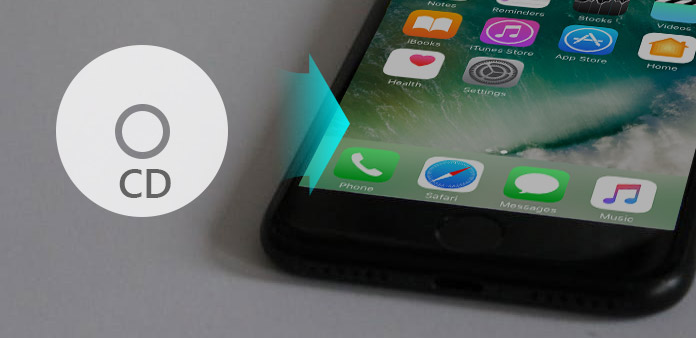
Yes, but not by inserting a CD directly into the iPhone.
Modern iPhones are not designed with built-in optical CD drives. Instead, the usual process is to use a computer with a compatible CD or DVD drive to import the music into a digital music library.
Apple provides instructions for importing music from CDs into its Music app on Mac. Once the music has been imported, the original CD is no longer required for playback from the computer’s music library.
Apple’s older iTunes documentation also explains how users could insert an audio CD into a computer’s internal or external optical drive and import its songs into an iTunes library.
So while there is no direct “CD slot” experience on an iPhone, the music itself can be converted into digital files and transferred or synchronized to Apple devices.
How to Transfer CD Music to an iPhone
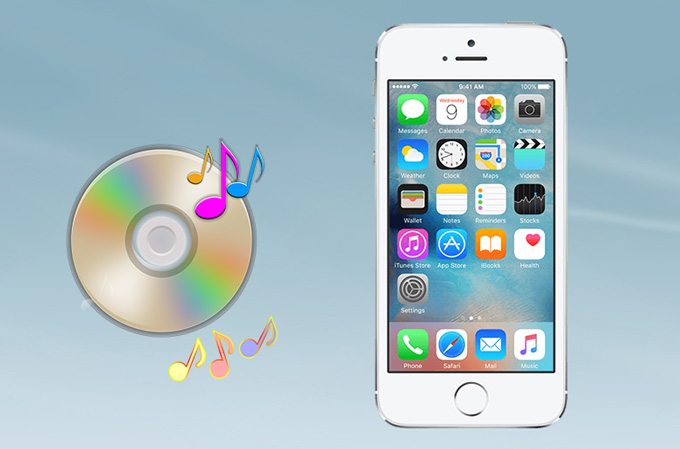
If you have an old CD collection and want to listen to it on your iPhone, the basic process is straightforward.
Step 1: Use a Computer With a CD Drive
You need a computer with an optical drive capable of reading audio CDs.
If your computer does not have a built-in CD drive, an external USB optical drive may be used with compatible computers.
The important point is that the CD is read by the computer, not by the iPhone itself.
Step 2: Import the CD Music
On a Mac, Apple’s Music app can import songs from CDs into your music library. Apple notes that the default encoding format is AAC, although users can change the import settings.
On Windows, Apple’s documentation for iTunes explains the process of importing songs from an audio CD into the iTunes library.
After importing, the physical CD has effectively been converted into a digital music collection.
Step 3: Organize Your Music
Before transferring the songs, check the album name, artist information, track names, and artwork.
Good organization makes a large personal music collection much easier to use later.
For example, instead of having files named:
Track 01
Track 02
Track 03
you want the music library to identify the proper artist, album, and song titles.
Step 4: Transfer or Sync the Music
Once the music is part of your computer’s music library, it can be transferred to compatible Apple devices using Apple’s device-management and synchronization options.
Apple’s current Windows guidance explains that users can use the Devices app to sync music between a Windows computer and an iPhone, iPad, or iPod.
The result is essentially what many people mean when they use CDiPhone to describe the CD-to-iPhone process: your physical CD collection becomes accessible as digital music on your phone.
CDiPhone vs. a Real iPhone
It helps to separate the concept from Apple’s actual products.
| Feature | CDiPhone Concept | Real iPhone |
|---|---|---|
| Official Apple product | No | Yes |
| Built-in CD drive | Hypothetical | No |
| Digital music | Yes | Yes |
| Physical CD playback | Concept-dependent | No direct CD drive |
| Smartphone functions | Concept-dependent | Yes |
| iOS ecosystem | Hypothetical | Yes |
| CD music transfer | Possible as a concept | Possible through a computer-based workflow |
The biggest difference is the physical CD drive.
A hypothetical CDiPhone would need some way to read an optical disc. A conventional iPhone does not have that built-in capability.
Why Would a CD iPhone Be Difficult to Build?
At first glance, putting a CD drive into a smartphone might seem simple. In reality, it would create several engineering problems.
Size and Thickness
A traditional compact disc is much larger than the components normally designed into a modern smartphone.
A CD drive would require mechanical components, a disc-reading mechanism, a laser system, and enough physical space for the disc itself.
That would conflict with the thin design that consumers generally expect from smartphones.
Moving Parts
Modern smartphones rely heavily on solid-state storage and have very few mechanical components.
A CD drive introduces moving parts. Mechanical components can require additional space and can be more vulnerable to physical damage, dust, vibration, and wear.
Power Consumption
Reading an optical disc requires energy for the drive mechanism and laser system.
Smartphones already have to balance processing power, display brightness, wireless connectivity, cameras, and battery life. Adding an optical drive would create another power requirement.
Limited Practical Benefit
Perhaps the biggest issue is whether consumers actually need a built-in CD drive.
Music can already be stored digitally, streamed, downloaded, or transferred from a computer. For most smartphone users, a physical optical drive would add complexity without providing enough everyday value.
That is one reason the CDiPhone concept is more interesting as a technology discussion than as an obvious commercial product.
CDiPhone and the Return of Physical Media
The CDiPhone idea also reflects a larger discussion about physical versus digital ownership.
Streaming services make millions of songs immediately accessible, but they depend on subscriptions, availability, internet access, and licensing arrangements.
Physical CDs offer something different.
When someone owns a CD, they have a physical copy of the album. Collectors may also value the packaging, artwork, liner notes, and physical experience.
This is why CD-to-iPhone workflows remain useful even though CDs are no longer the dominant way people consume music.
The goal is not necessarily to replace CDs.
Instead, it is about preserving the music while making it convenient to play on a modern device.
Is CDiPhone the Same as CDMA iPhone?
No. These terms should not be confused.
CDMA stands for Code Division Multiple Access, a cellular communication technology used by certain older mobile networks.
Some earlier iPhone models were produced in versions supporting different network technologies. Apple’s iPhone history includes devices associated with different cellular standards and carrier requirements.
That is completely different from the idea of a phone with a CD, or compact disc, drive.
So:
CD = Compact Disc
CDMA = Code Division Multiple Access
CDiPhone = informal internet term associated with CD and iPhone
These are three different concepts.
Common Misconceptions About CDiPhone
Because the term is unusual, it is easy to encounter misleading information.
“CDiPhone is a new Apple model”
There is no reliable evidence supporting this claim. CDiPhone is not an established Apple product name.
“You can insert a CD into an iPhone”
You cannot insert a standard music CD directly into a conventional iPhone. The phone does not have a built-in optical disc drive.
“Apple announced CDiPhone”
There is no verified Apple announcement establishing CDiPhone as an official product. Apple’s original iPhone announcement and subsequent official product history use established iPhone model names.
“CDiPhone has official specifications”
Specifications published on independent websites may describe a hypothetical concept rather than real Apple hardware.
Always distinguish between concept specifications and manufacturer specifications.
What Is the Best Way to Understand CDiPhone?
The safest interpretation is to treat CDiPhone as an informal technology term, not as a specific Apple product.
If you encounter the term in a music discussion, it may refer to transferring CD music to an iPhone.
If you see it in a concept article, it may describe a hypothetical smartphone capable of using physical CDs.
If a website claims that CDiPhone is a real Apple device for sale, you should verify that claim through Apple’s official channels before trusting it.
This approach avoids one of the biggest problems surrounding the keyword: treating online speculation as confirmed technology.
The Future of CD and iPhone Technology
Could Apple or another smartphone company create a phone that works directly with physical media?
Technically, many things are possible. The more important question is whether there is enough consumer demand to justify the added size, mechanical complexity, power requirements, and manufacturing cost.
A more realistic future is likely to involve better ways of preserving and accessing physical media through digital devices.
Instead of putting a CD drive inside a phone, users can keep their physical collection while converting their music into high-quality digital files.
That approach gives people the best of both worlds: physical ownership of the original discs and convenient mobile playback.
The CDiPhone concept therefore represents an interesting intersection between older media technology and modern smartphones.
Frequently Asked Questions About CDiPhone
Is CDiPhone a real iPhone?
No. CDiPhone is not a confirmed official Apple iPhone model. It is an informal term used online for concepts involving CDs and iPhones.
Can an iPhone play a music CD?
Not directly. An iPhone does not have a built-in CD drive. You generally need to import the CD’s music using a computer with a compatible optical drive and then transfer or sync the digital music to the iPhone.
What does CDiPhone mean?
CDiPhone is a combination of “CD” and “iPhone.” Online, it is commonly used to describe the relationship between compact-disc music and iPhones, including CD-to-iPhone music transfers and hypothetical CD-enabled smartphone concepts.
Can I transfer my old CDs to my iPhone?
Yes. You can import music from CDs into a computer music library and then transfer compatible music to an iPhone. Apple’s documentation provides workflows for importing CD music on Mac and Windows.
Is CDiPhone made by Apple?
No confirmed Apple product uses the name CDiPhone.
Is CDiPhone the same as a CDMA iPhone?
No. CD refers to compact disc, while CDMA refers to a cellular communication technology. They are unrelated concepts.
Why are people searching for CDiPhone?
The keyword appears to be driven by curiosity about the connection between older CD technology and modern iPhones. Online articles also use it for hypothetical smartphone concepts and CD-to-iPhone music workflows.
Final Verdict
CDiPhone is not an official Apple product. The term is best understood as an informal expression connected with the relationship between compact discs and iPhones.
For some users, CDiPhone means the process of getting music from physical CDs onto an iPhone. For others, it represents a hypothetical smartphone that could directly read CDs. These ideas are related, but neither should be confused with an actual Apple product called CDiPhone.
If your goal is simply to listen to an old CD collection on your iPhone, you do not need a special CDiPhone. You can import your music into a digital library using a compatible computer and then transfer or sync that music to your iPhone. Apple’s documentation supports CD importing into music libraries and syncing music to Apple devices.
The key takeaway is simple: CDiPhone is a concept and online term, not a confirmed Apple device. When you see detailed claims about its price, specifications, release date, or features, verify the information against Apple’s official sources before treating those claims as fact.